
Get started
How to get started
Pick who you are. We will show each step.
Create your account, then bring in your rooms and tenants. Keep your tenant list ready.
- Step 1 of 7
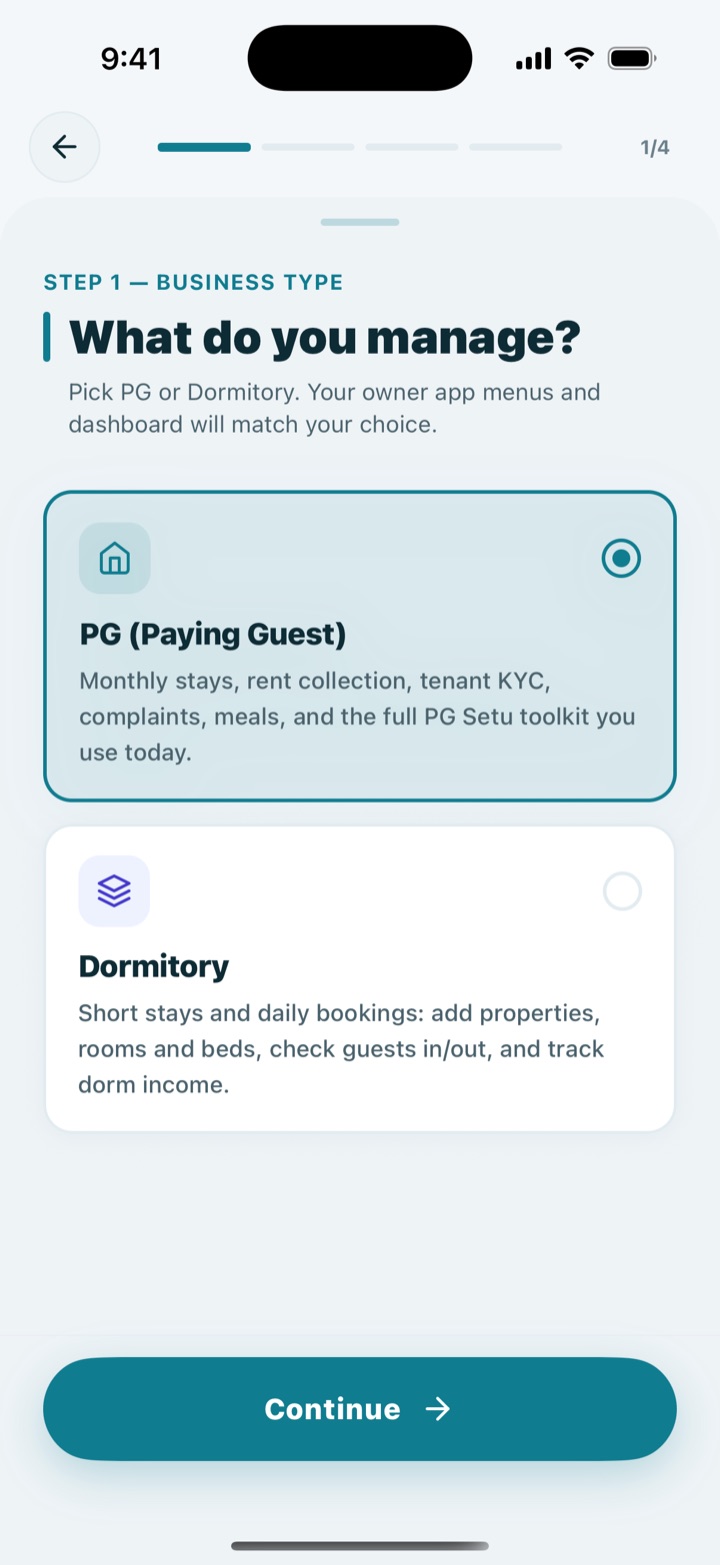
Choose PG
On Android, tap Create account in the app. On iPhone, open pgsetu.in/register. Pick PG (Paying Guest).
- Step 2 of 7
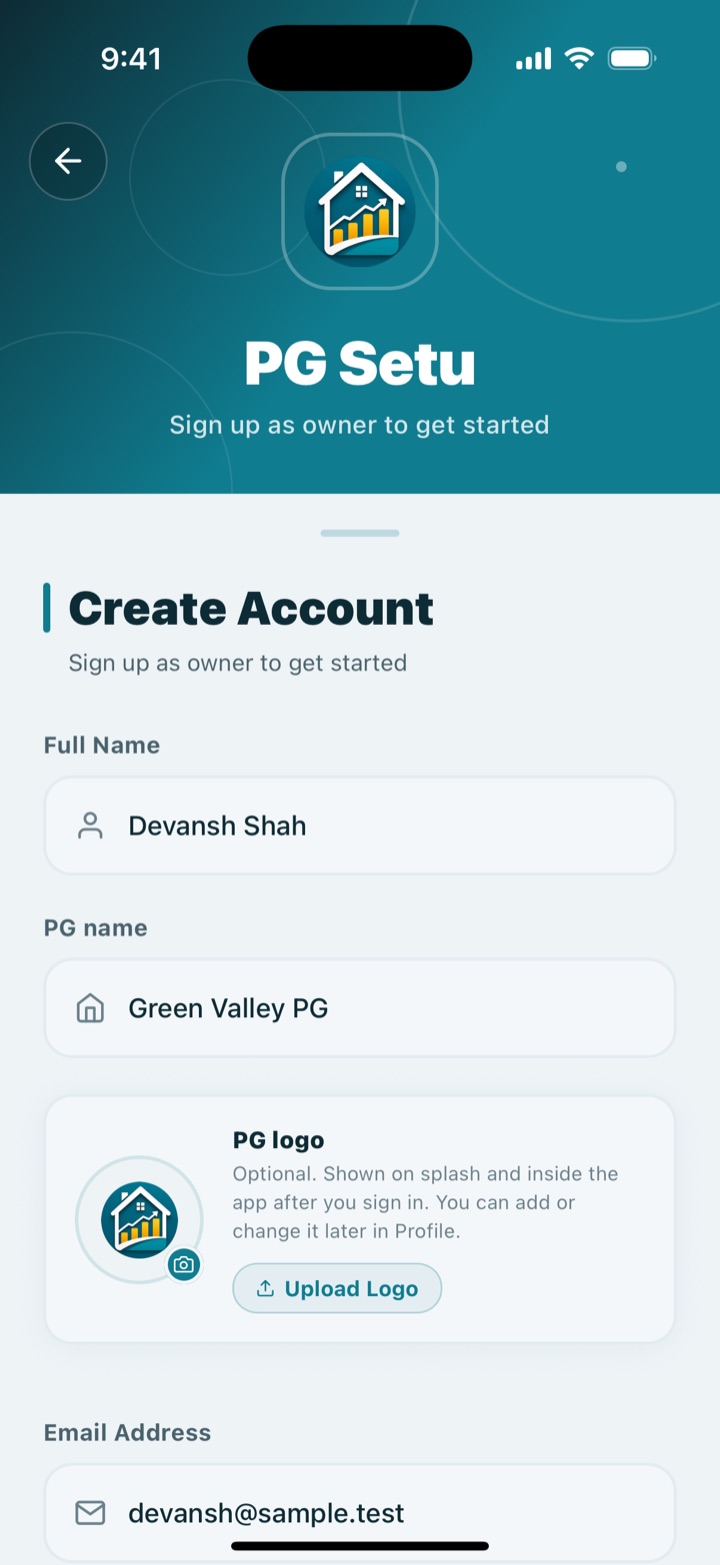
Enter your details
Add your name, PG name, email, mobile number and password. Email is required.
- Step 3 of 7
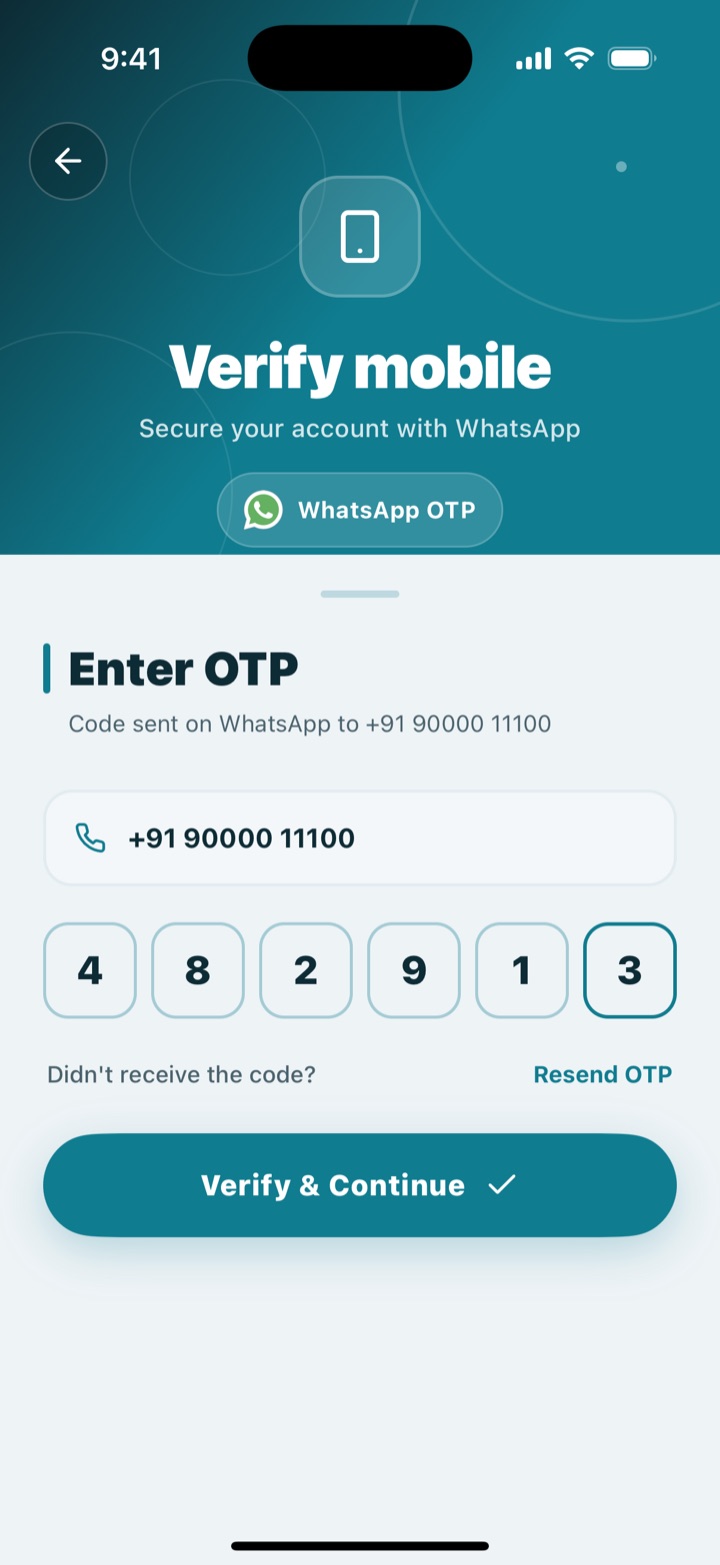
Verify your phone
We send a 6-digit code on WhatsApp. Enter it to create your account.
- Step 4 of 7
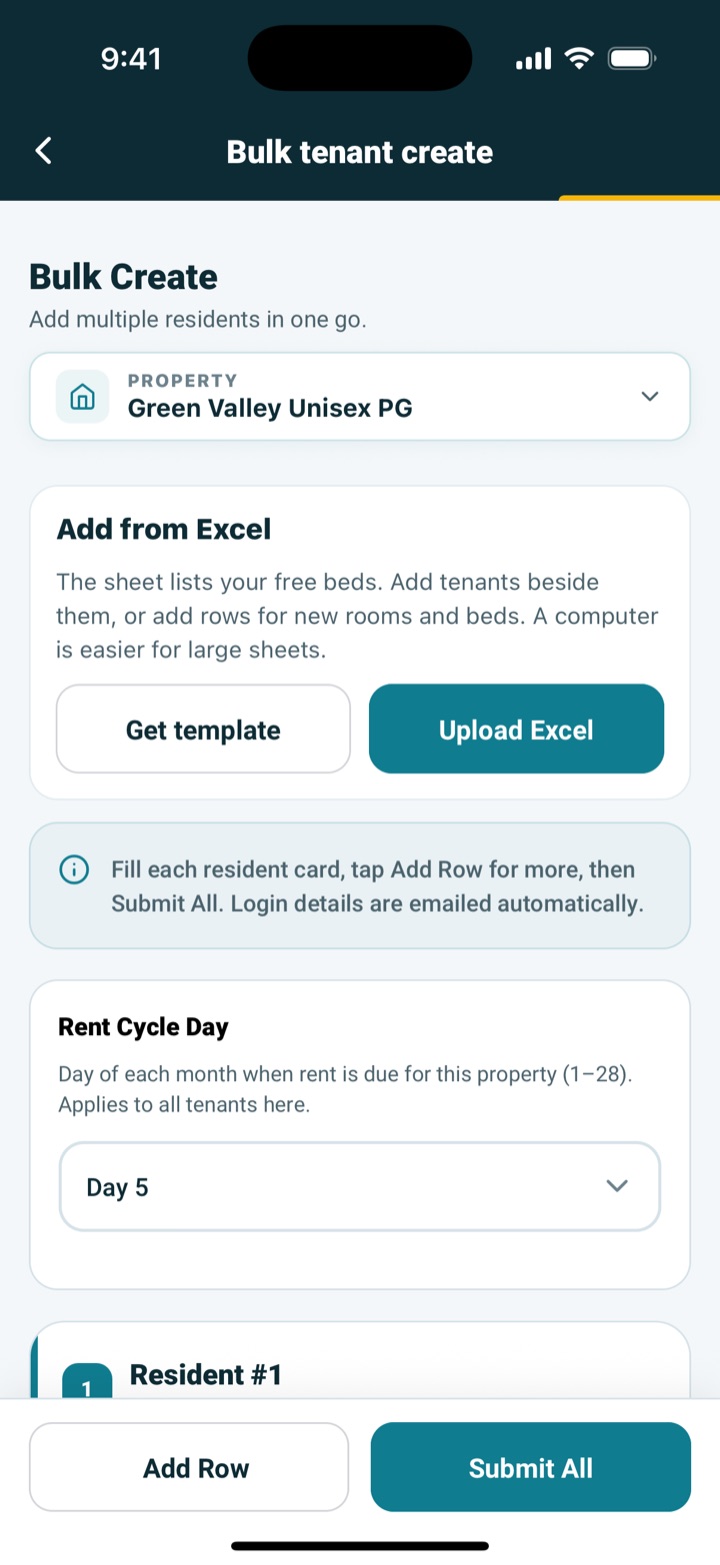
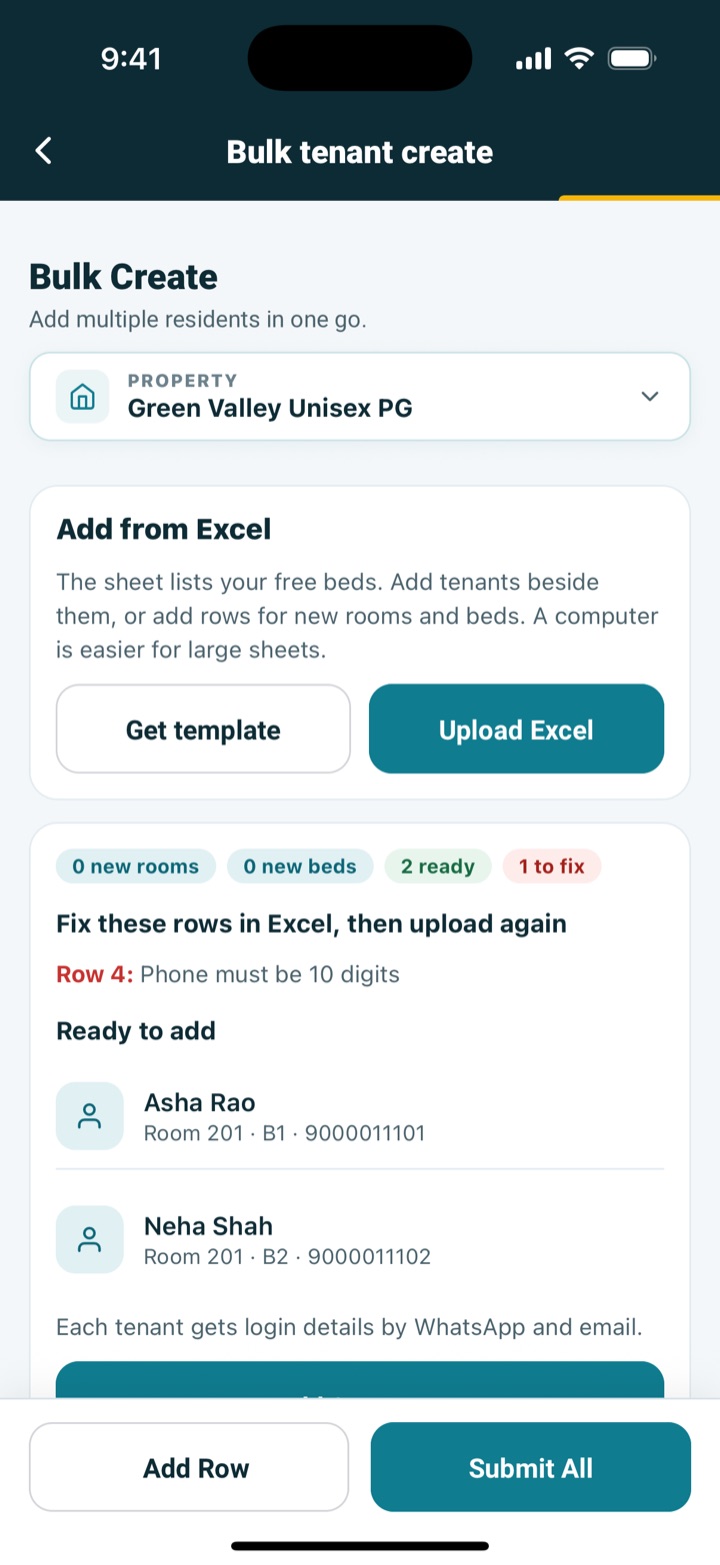
Add tenants from Excel
Open Bulk tenant create and tap Get template. Add rooms, beds and tenants to the sheet, then tap Upload Excel. A computer is easier for large sheets.
- Step 5 of 7
Check before saving
See every row first. Fix any mistakes in Excel and upload again. Nothing is saved until you confirm.
- Step 6 of 7
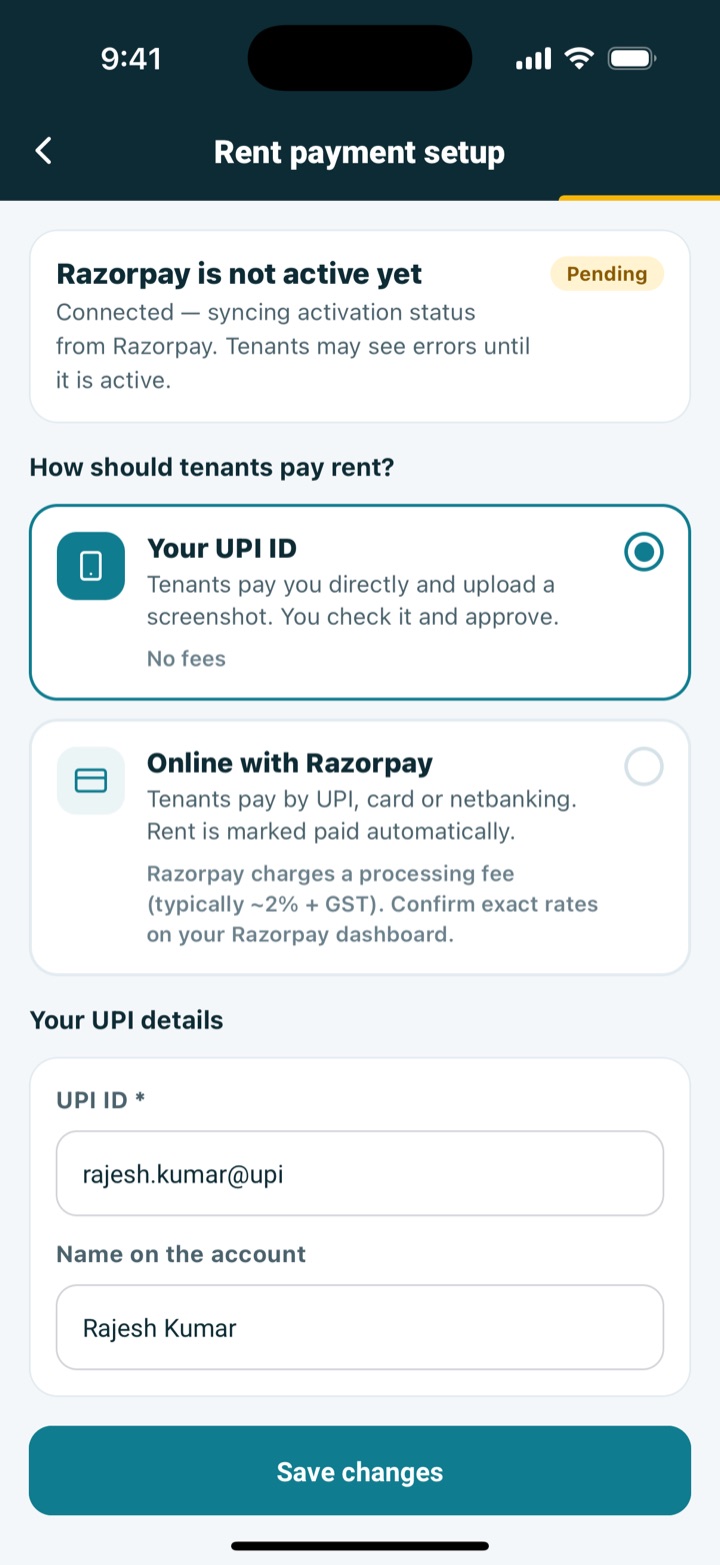
Choose how tenants pay
Open Rent payment setup. Pick your UPI ID, or connect Razorpay for online rent.
- Step 7 of 7
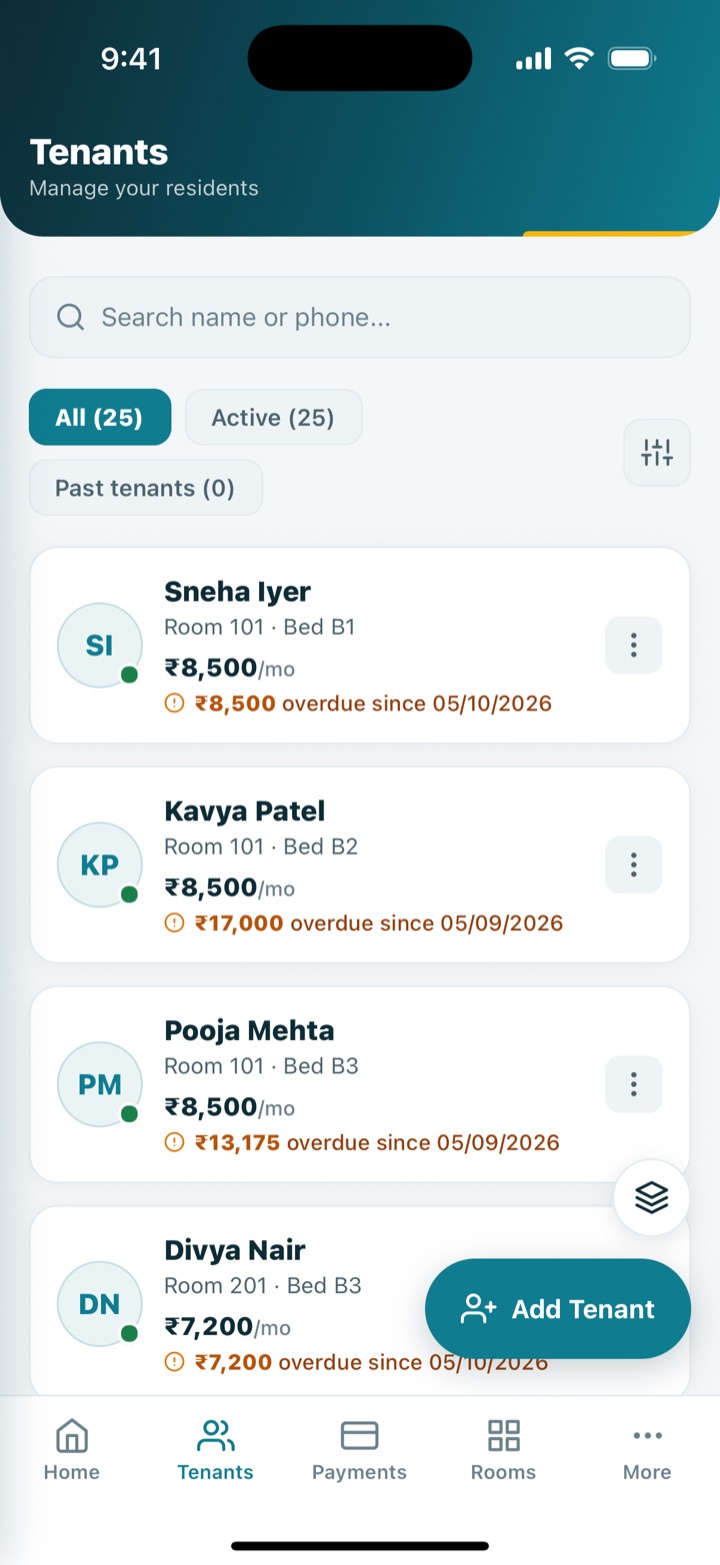
Your tenants are ready
Tenants appear in your list and get login details by WhatsApp and email. You can start collecting rent.
Ready?
Need help? Our team can walk you through setup.